Never stuck for ideas.
Mood-based suggestions for spicy, light, comfort or high-protein days. Or enter what is in your kitchen and discover dishes you can make right now.
The daily "what should I cook?" is the most tiring question in an Indian kitchen.
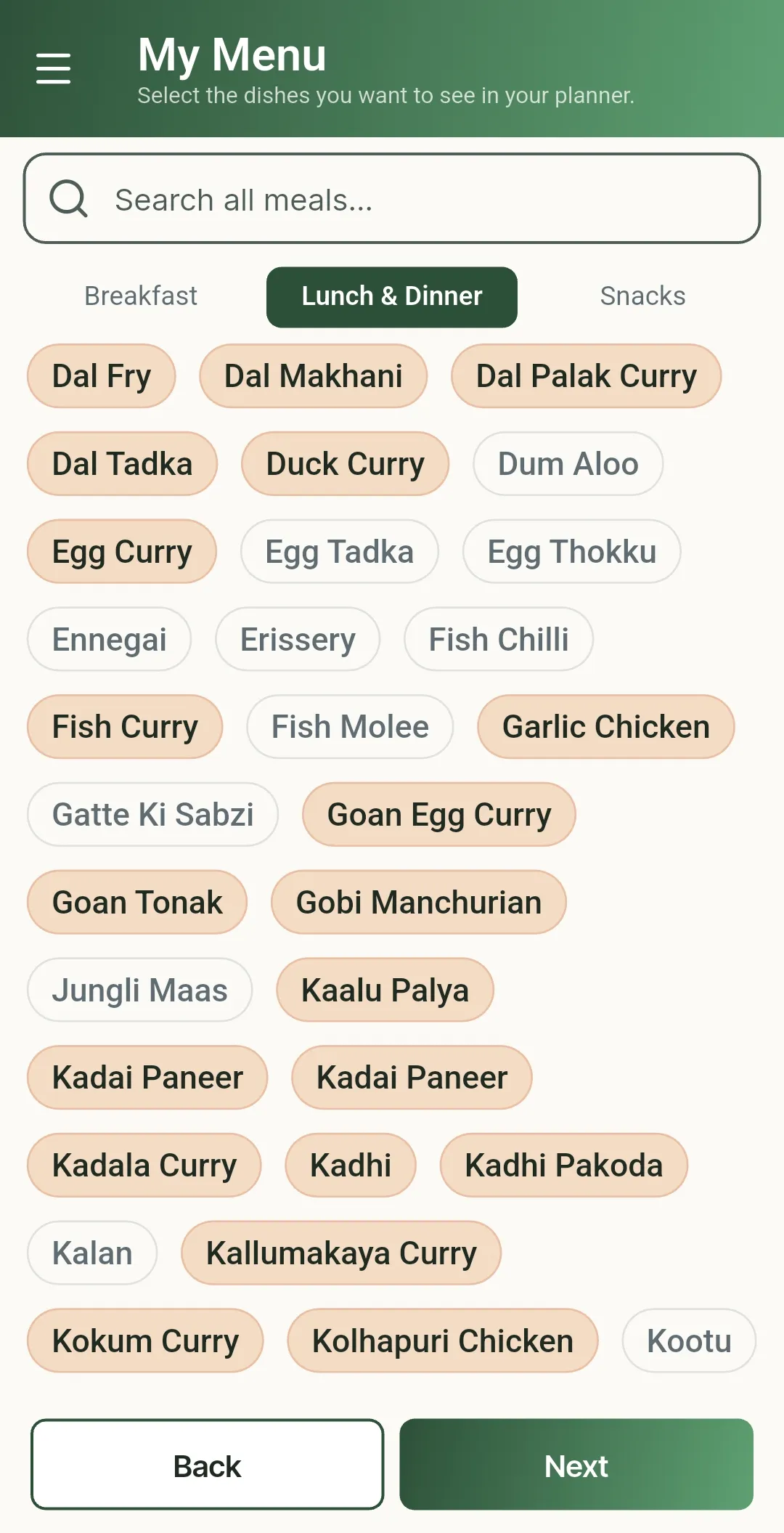
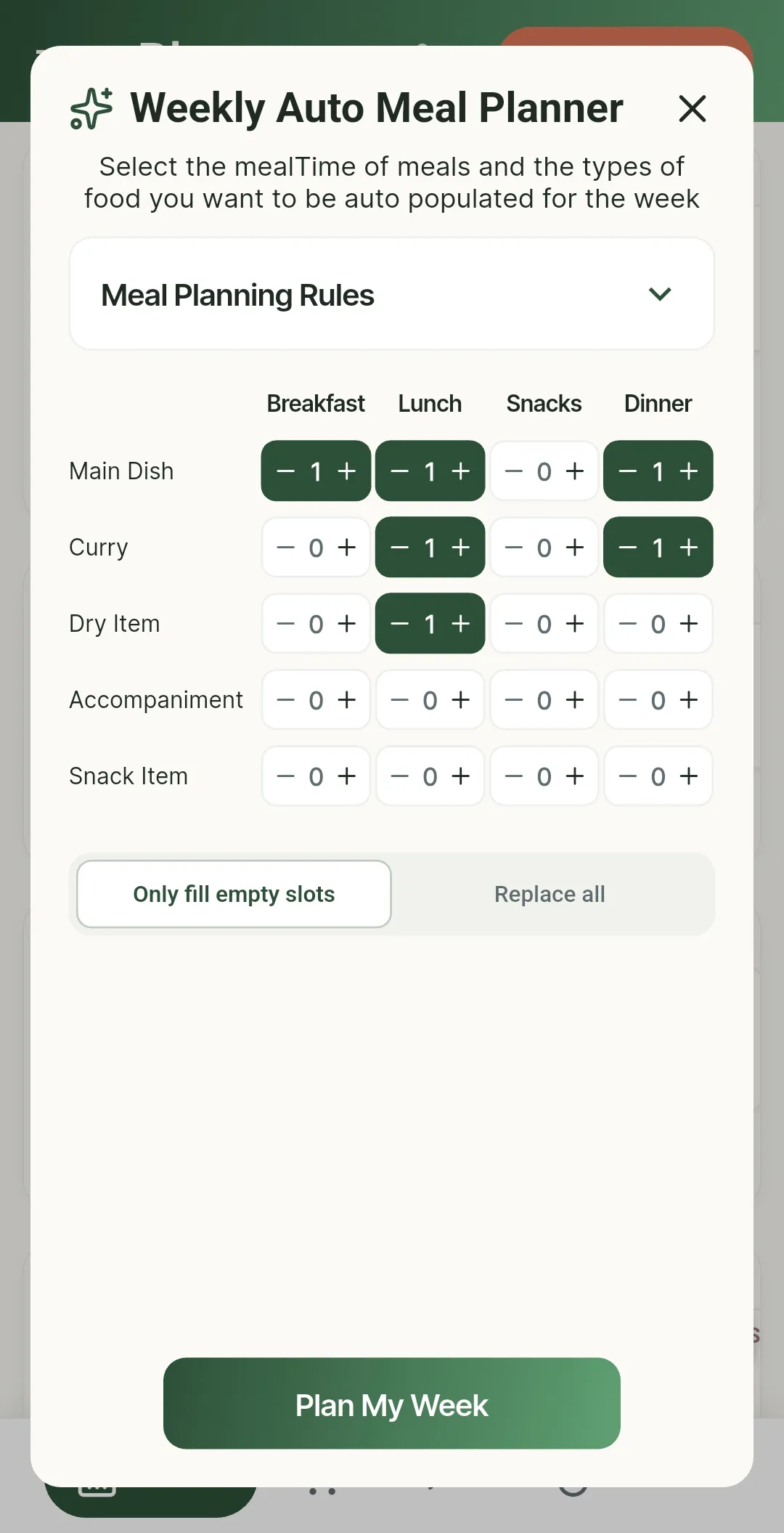
PlanNEat starts with 800+ home-style Indian dishes across 50+ regional cuisines, each pre-mapped to its ingredients. Build your personalised menu from these, and AI plans your whole week and generates your grocery list in minutes. No typing. You just tap to add.
The average Indian household spends 10-15 minutes every day just deciding what to cook. Then another 30+ minutes each week listing out groceries, only to miss things and end up placing a last-minute Blinkit order anyway. In total, food decisions quietly eat up 2+ hours of your week, every week.
PlanNEat gives those hours back. Plan your whole week in one sitting, grocery list included, and the daily "what should I cook?" stops being your problem.
PlanNEat is built from the ground up for Indian home cooking. Every dish comes preloaded and pre-mapped to its ingredients. You don't type recipes from scratch; you just tap to add and the app already knows what goes into it.
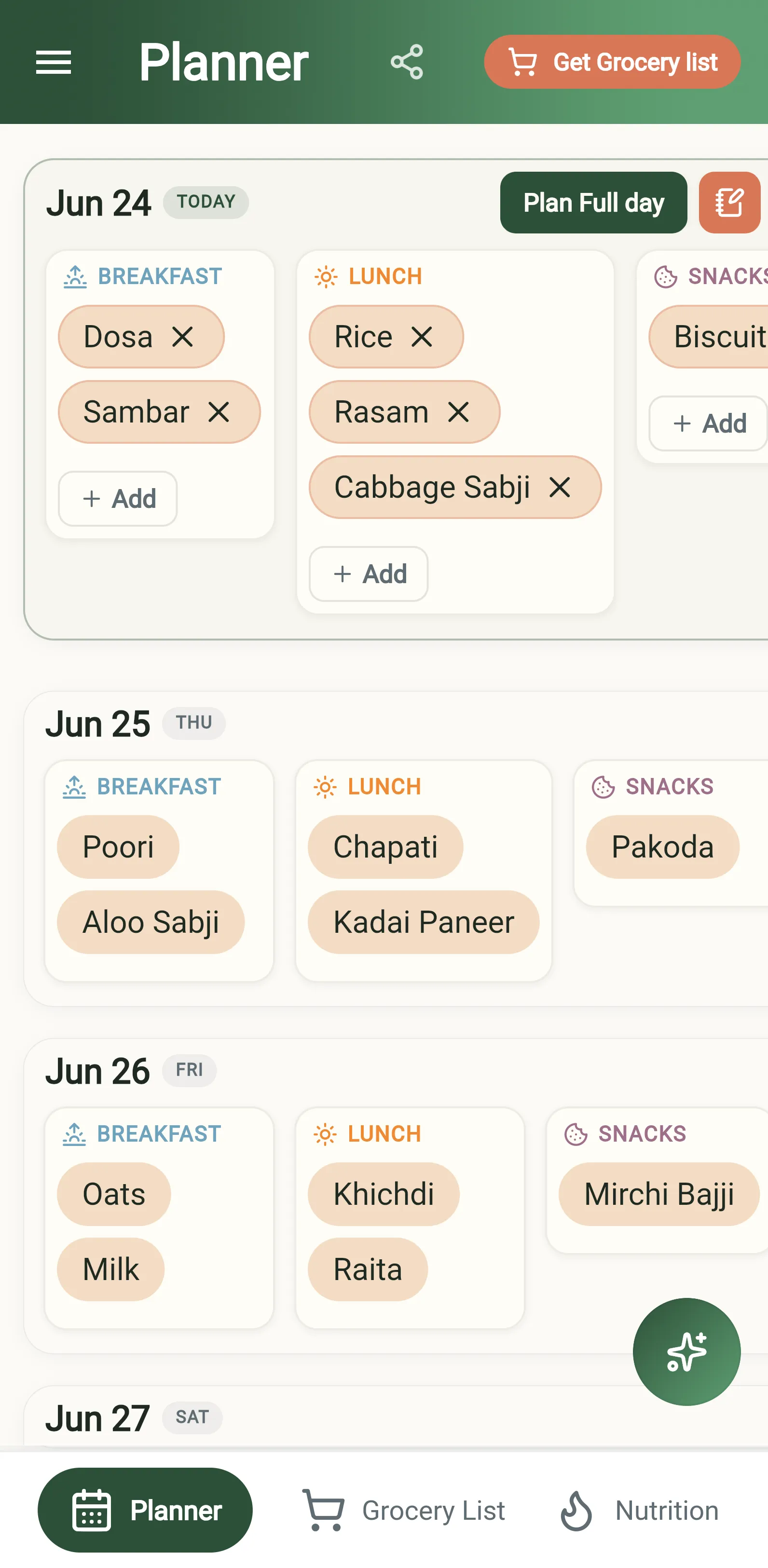
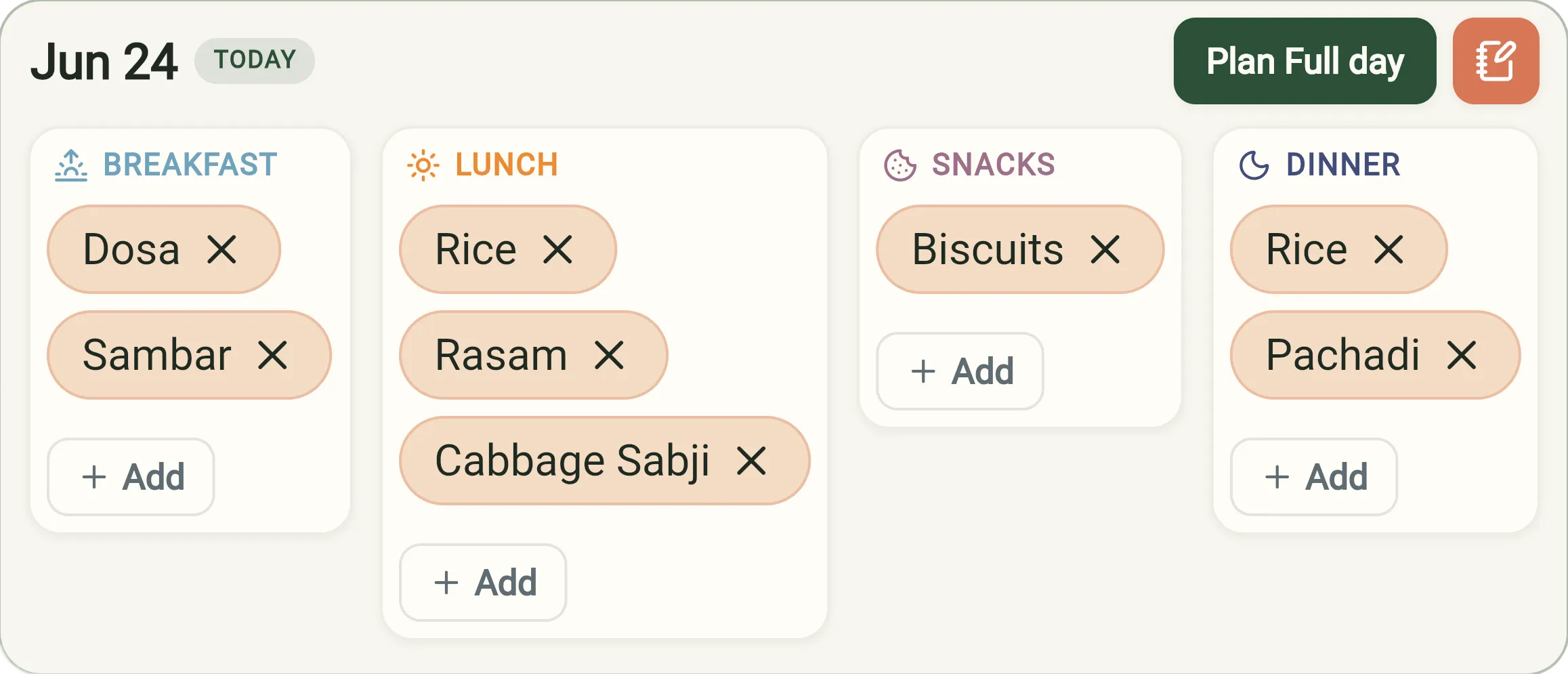
A planner that moves as fast as real life.
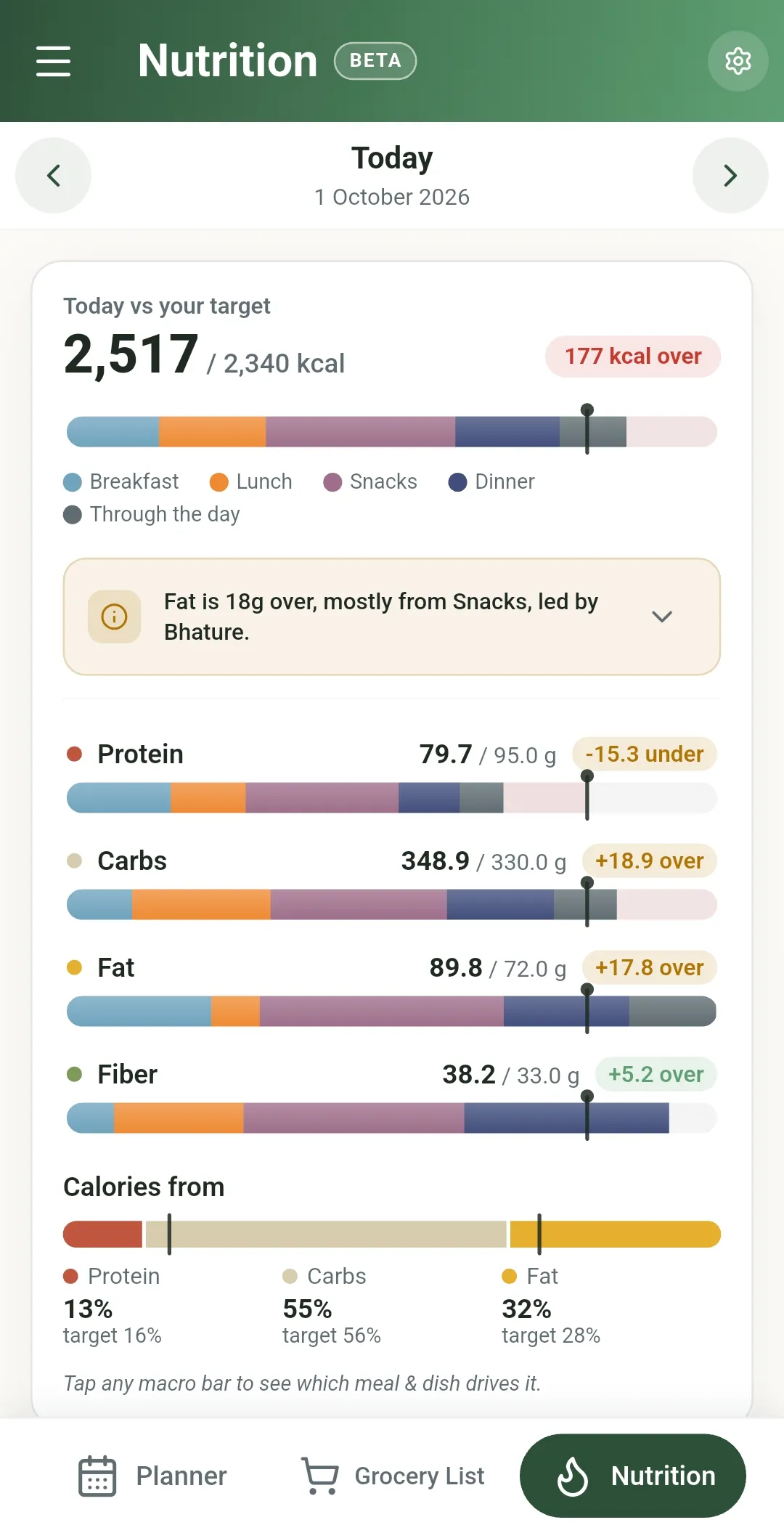
Most nutrition apps show you the damage after it's done. Spend 20-30 minutes logging every bite, then find out that today went over. At this point, knowing the calories or macros were off can only induce guilt. PlanNEat shows the calorie and macro picture while you are still building the week's plan, while every dish can still be swapped and every portion can still be adjusted.
This is not a calorie-counting app, a diet plan, or a weight-loss program. It takes the same nutrition information most apps make you log after every meal and moves it to the one point in your day when you can still act on it: before you cook.
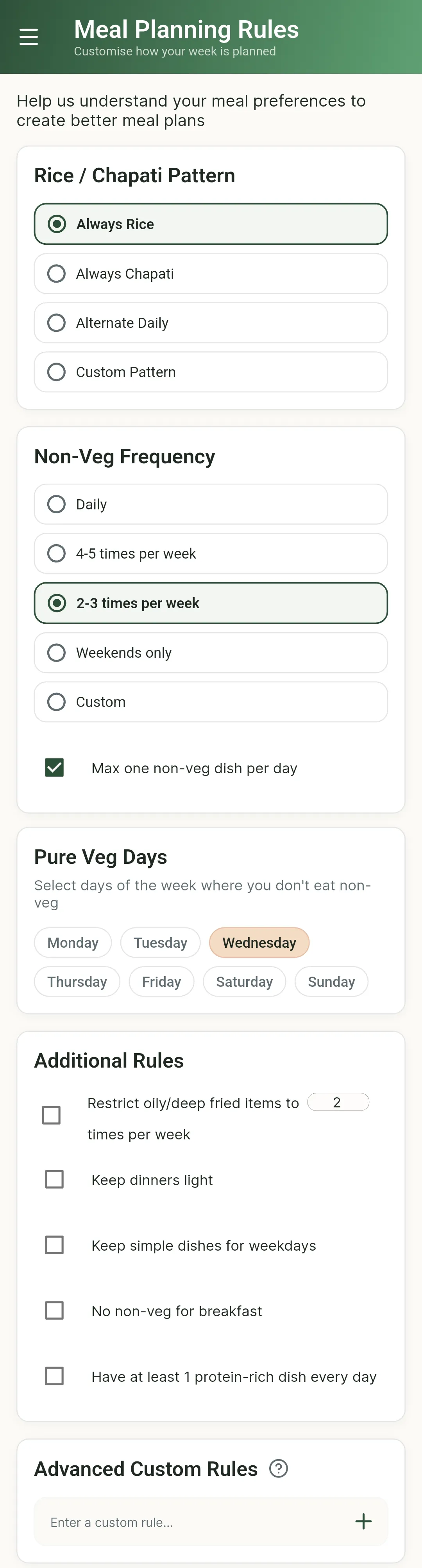
Tell PlanNEat how your household eats, and it builds plans that honour your routine.
Set it once and AI builds a complete, balanced week of home-style Indian meals around all of it, drawing only from your personalised menu. Then tweak anything you like.
Shop ahead instead of scrambling for a last-minute order.
No two Indian kitchens make the same dish the same way. PlanNEat bends to your kitchen, not the other way around.
AI used where it saves you real effort, not as a gimmick.
Everything AI generates is cached and editable. You can override, edit or replace anything it suggests. AI assists; you stay in control.
Mood-based suggestions for spicy, light, comfort or high-protein days. Or enter what is in your kitchen and discover dishes you can make right now.
Get a quick AI recipe for any dish and save it to your collection. Edit any recipe to your taste, or jump to a YouTube cooking video in one tap if you would rather watch.
A friendly nudge the evening before, so tomorrow's plan, prep, and groceries are never a surprise.
Export your meal plan and grocery list as a PDF file and share it on WhatsApp, so whoever shops or cooks is always on the same page.
Tell PlanNEat how your household eats: meal structure, weekly rhythm, diet, allergies and any rules. You only do this once.
Generate a complete, balanced week of home-style Indian meals in minutes, built only from the dishes you actually cook.
Not feeling a dish? Swap it for something else from your menu. Glance at the day's calorie and macro breakdown and nudge a portion if something looks off, all while it can still be changed.
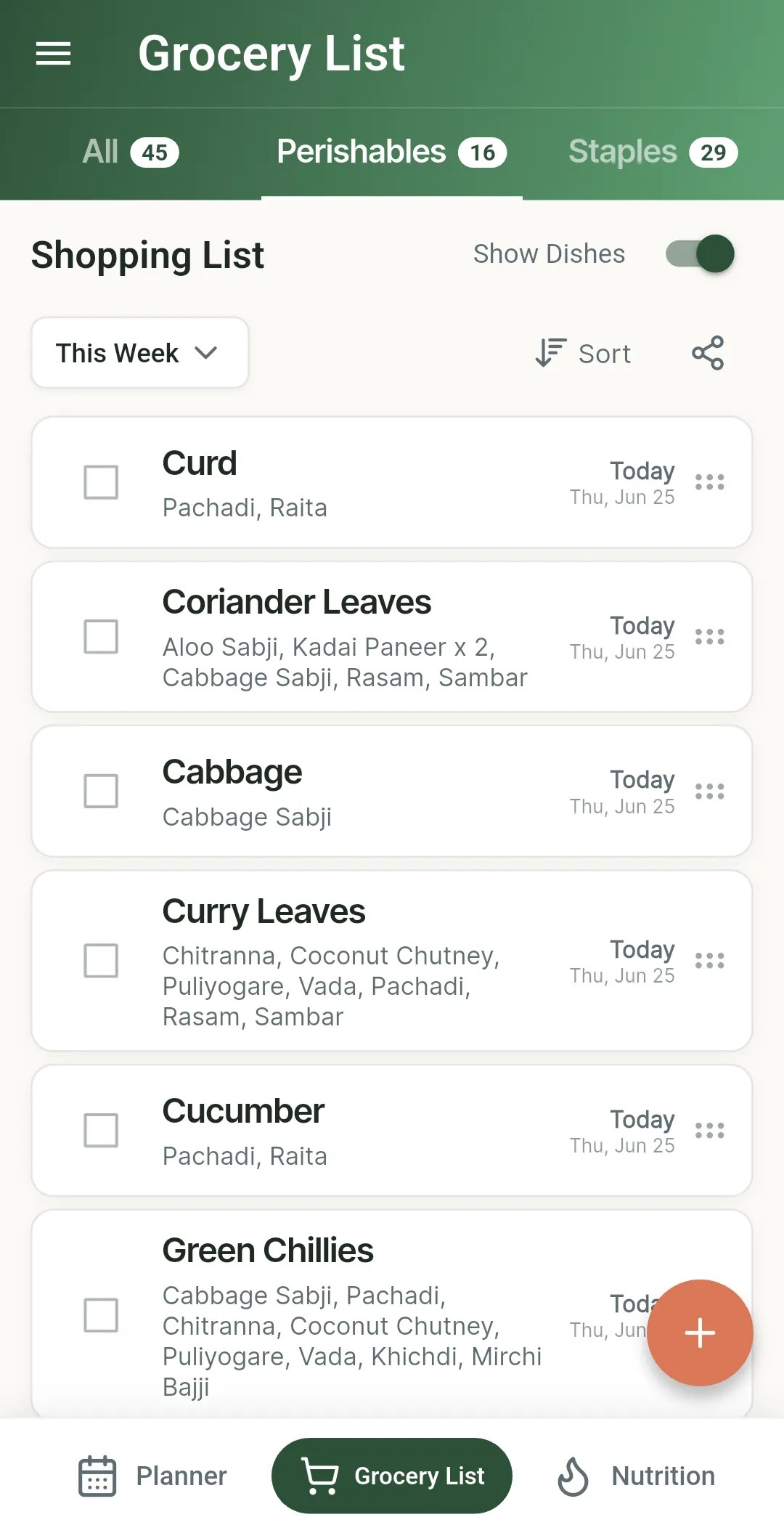
Once the week is sorted, a full grocery list is ready at a tap. Shop ahead, and remain stress free for the rest of the week.
Yes. Every feature, including AI planning, is free right now: no paywalls, no limits, and no credit card needed to get started.
Time is exactly where it pays off. First, the daily "what should I cook?" gets answered once instead of seven times: planning the whole week takes roughly the same time as deciding on a single day, so that question stops repeating every evening. Second, the auto-generated grocery list means one planned shopping trip instead of last-minute runs mid-week when you realise you are out of something. Third, on nutrition: most apps ask for 20-30 minutes a day logging every bite. PlanNEat replaces that with a one-time portion setup and the odd tweak while planning, so there is nothing to log daily. Add it up and PlanNEat is built for people who want the benefits of planning and healthier eating without the time most apps demand for it.
No. PlanNEat supports veg, non-veg and eggetarian diets, with allergy filters. You can set rules like non-veg three times a week, or none on Tuesdays.
Most meal planning apps were never built with the Indian kitchen in mind. Global apps give you a single dish slot per meal and barely recognise Indian food. Indian apps that do exist leave you typing every dish and ingredient from scratch. AI-based planners know recipes but surface restaurant-style dishes, not the aloo sabji or anda burji you actually cook on a Tuesday night. PlanNEat is built from the ground up for Indian home cooking: 800+ home-style dishes across 50+ regional cuisines, each preloaded and pre-mapped to its ingredients, so you just tap to add and AI plans your whole week from the dishes you actually cook.
Allergens are handled intelligently, not bluntly. When the allergen is a dish's main ingredient, like egg in an omelette, the dish is hidden completely. When it is only an optional ingredient, like egg in a cake, the dish stays but is flagged, so you can decide for yourself or swap the ingredient out. Set your diet (veg, non-veg or eggetarian) and allergens once, and every plan respects them.
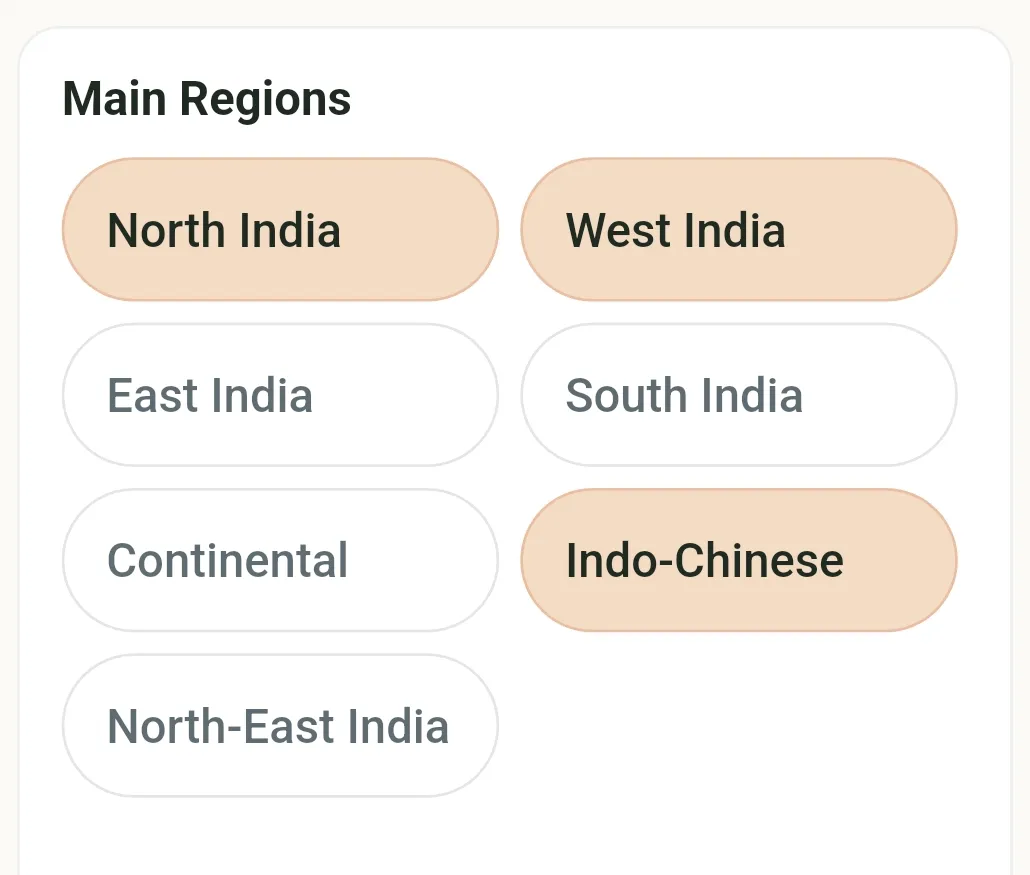
Over 50 regional cuisines from North, South, East and West India. 800+ home-style dishes are preloaded and ready to add, so you are not typing everything from scratch.
Yes. Add any dish for free and AI fetches the base ingredients automatically, so you just tweak a few. You can also edit the ingredient list for any dish to match how you actually cook; changes flow straight into the grocery list.
Tap the grocery list button whenever your plan is ready and a full week's list generates instantly. If you update your plan mid-week, tapping the button again refreshes and rebuilds the list to match. It also auto-cleans items you no longer need and gives friendly nudges if something you still need is left unticked.
Yes. Every ingredient appears once, with the full picture of where it is needed: onion shows up as a single entry, needed for Biryani (twice this week) and Omelette, instead of scattered across three separate lines. Most apps don't let you add custom dishes because once users add their own dishes and ingredients, combining and deduplicating the list gets messy. PlanNEat does both: add any dish you like, and the list still combines and dedupes every ingredient cleanly, custom dishes included.
By design. No two homes cook using the same amount of tomatoes for the same dish. Nobody cooks to exact recipe grams as mentioned in a website, and how much to buy also depends on what is already sitting in your pantry. Rather than making you log every pantry item periodically, or pretending to know your exact needs, PlanNEat shows you what each ingredient is needed for and how often, and leaves the quantity to the one person who actually knows your kitchen: you.
The evening before, a friendly nudge shows you tomorrow's plan so you can check you have the ingredients, pick up anything missing, or change the plan if the day looks different now. You will also get a heads-up on dishes that need advance prep, a reminder if groceries are still unticked, and a gentle prompt to plan tomorrow if it is still empty.
Not the way most nutrition apps do. PlanNEat's focus is the planning stage, not tracking after eating. Default portions and Through the Day items handle the routine automatically, saving you the hassle of logging each item one at a time. If a day turns out different from the plan, say an extra roti or a skipped sabji, adjusting that is all you will need to do.
Because that is the only point where changing something is still possible. Once a dish is cooked, unbalanced macros are hard to undo: you cannot take the extra oil out of the curry or turn white rice back into brown rice after you eat. Knowing the numbers at that point is just guilt, not a choice. PlanNEat puts the calorie and macro picture at the planning stage instead, while a dish can still be swapped or a portion still adjusted. Research backs the timing too: people who plan meals ahead eat healthier than people deciding what to eat once they are already hungry, when willpower is at its lowest. A healthy meal planned in advance is far more likely to get cooked and eaten than a healthy choice made standing in front of an open fridge.
Careful estimates, not exact measurements. The same dish can vary a lot from one day to the next, since a bowl of dal changes with how much water, oil or ghee goes into it, and no app can put an exact number on it unless every ingredient is weighed every time. This is true of every nutrition app, not just PlanNEat; we would rather be upfront about it. The numbers are only as good as what you tell PlanNEat: eat 300 g but set your portion to 200 g, and the estimate reads low. Setting your usual portions honestly, and nudging a dish up or down on days you eat more or less, keeps them close, no weighing needed. A note on health: PlanNEat does not diagnose, treat or manage any medical condition. It is meant for general awareness, to guide small, informed choices while planning, not to replace advice from a doctor or dietitian.
Yes, PlanNEat is available on both Android (Google Play) and iOS (App Store). Tap a download button at the top of the page to get it on your device.
Every feature, including AI planning, is free right now. No paywalls, no usage limits, and no credit card needed to get started.